blogWeb Development
Replacing a Dynamic WordPress Site With a Static One
A few months ago I retired a WordPress site I had been looking after since 2018. It belongs to a real estate agency, and it isn't a brochure site: property listings arrive automatically from the agency's CRM, visitors filter them by price, area and type, every listing has its own inquiry form, and the whole thing is available in four languages.
That's the kind of site where people tell you a static site generator won't cut it. I replaced it with one anyway, and I'd do it again. This post is about why, and about how the "dynamic" parts actually worked out.
How a WordPress Site Gets Stuck
Nobody decides to run an old version of WordPress. It happens to you.
The site was built in 2018 on WordPress 4.9.4. Over the years it picked up the usual set of plugins: one for multilingual content, one for the cookie notice, one for analytics, one for SMTP. More importantly, it picked up the ones that made it a real estate site: a third-party plugin that imports OpenImmo feeds (the German standard exchange format for property data) and renders listings, and a custom plugin on top of it for the import endpoint, the search and the contact forms.
Those last two are what keep a site from moving. The import plugin alone was 8.4 MB of PHP with its own bundled copy of Bootstrap 3. The custom code depended on how that plugin stored its data, and the theme depended on both. Every update is a gamble on whether the whole stack still agrees with itself.
In 2024 I moved the site onto our Kubernetes cluster and, while I was at it, tried to update WordPress. Not to 6.x — just to the latest 4.9 patch release. The commit history for that afternoon reads:
Update wordpress
Go back to latest available 4.9 wordpress image
Go back to latest working wordpress image
It ended where it started, on 4.9.4, a WordPress release from February 2018. And because the official Docker image was that old, the Dockerfile had to point its package sources at the Debian archive just to install a zip extension.
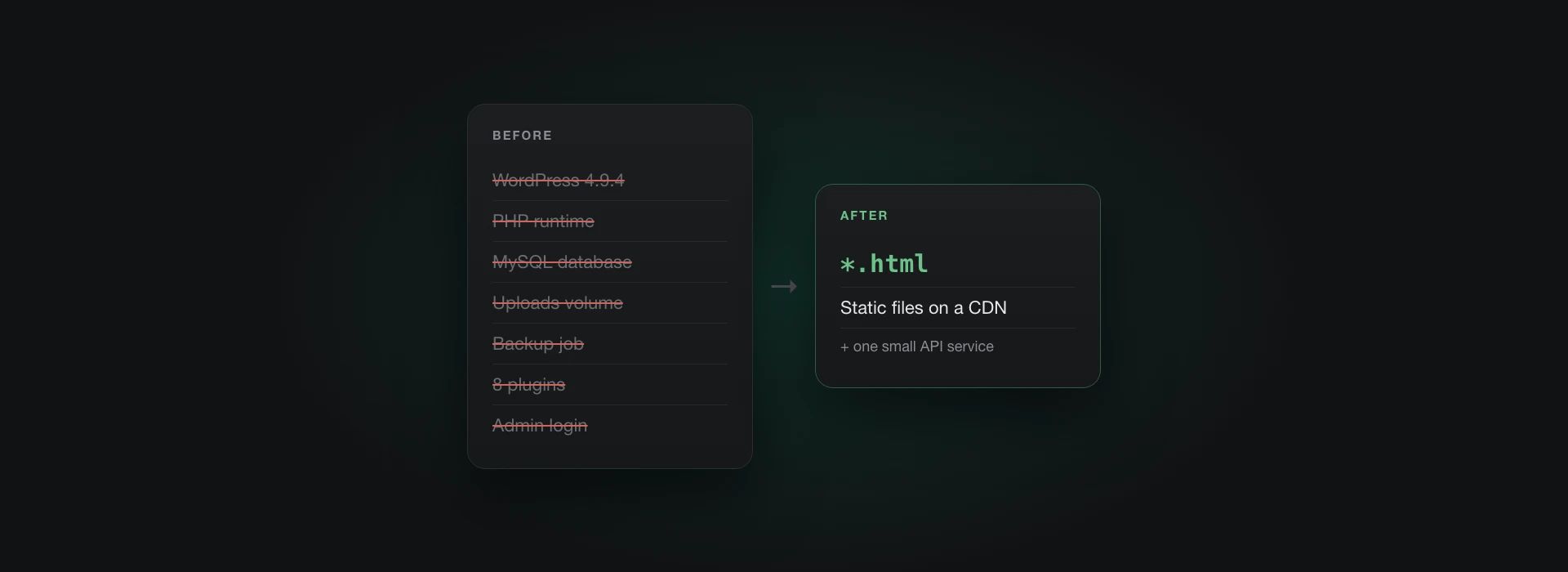
To be clear: none of this is WordPress's fault, and all of it is solvable. You can untangle the plugins, rewrite the custom parts, update step by step, and then keep doing that forever. But look at what you're maintaining in exchange: a PHP runtime, a MySQL database, a persistent volume for uploads, a backup job, an admin login on the public internet, and a plugin stack whose security you have to keep an eye on — all to serve pages that, for the vast majority of requests, are exactly the same for every visitor.
What's Actually Dynamic?
So before rewriting anything, I made a list of everything the site did that felt dynamic, and asked of each item: does this need to happen per request, or does it just change now and then?
Property listings. They change when the agency adds, edits or removes a listing in their CRM. That happens now and then, not per request.
The property search. Filtering, sorting, paging. Feels like a database query, but the whole catalog is in the hundreds of listings, not millions.
Four languages. Handled by a plugin at request time, but the translations themselves change about as often as the design does.
Contact forms. Genuinely dynamic: someone submits something, and an email has to be sent.
The CRM import. Genuinely dynamic: the CRM pushes a file to an endpoint and expects an answer.
Cookie consent. Happens in the browser anyway.
Out of six things, two actually needed a server. The rest were content that changes occasionally, which is exactly what a static site generator is for — you just have to be willing to rebuild when it changes.
There was one more item that turned out to matter a lot: who edits the content? In this case, the answer had always been us. Nobody at the agency had ever logged into the WordPress admin. The listings come from the CRM, and the handful of static pages were changed on request. So dropping the CMS entirely cost nothing. That's not true for every site, and I'll come back to it.
The New Setup
The public site is built with 11ty and served as plain files from S3 behind CloudFront. There is no database, no persistent volume and nothing that renders a page on request.
The two genuinely dynamic parts live in a small Node service built with Hono. It serves no public pages at all; it only has a handful of endpoints:
POST /api/upload— where the CRM pushes its listing updatesPOST /api/contact— both contact formsGET /api/healthz— for Kubernetes
Plus a token-protected trigger to rebuild the site by hand.
If that service is down, the site is still up. Visitors can browse and search listings; they just can't send an inquiry for a few minutes.
Listings as Build Input
The CRM doesn't send snapshots. Every push is a ZIP file with an OpenImmo XML document and the media for it, and the XML contains commands: change this property, delete that one. The old plugin turned those into WordPress posts with every OpenImmo field stored as serialized post meta, most of which no template ever read.
In the new setup the catalog is a single JSON file in S3, keyed by the property's external object number. Applying a push means reading that file, applying the commands, and writing it back:
if (cmd.action === "DELETE") {
  if (catalog[cmd.objectnr]) {
    delete catalog[cmd.objectnr];
  }
  // Standard OpenImmo: DELETE of an absent property is a no-op
  await deleteUploadsForObject(cmd.objectnr);
  return;
}
A change is an upsert, a delete of something that isn't there does nothing, and images are stored under deterministic keys. That makes applying the same push twice harmless, which turns out to be the property everything else rests on.
After a push is applied, the site is rebuilt from the catalog and synced to S3. The build doesn't know or care where the data came from; it's a function of one JSON file and the templates in the repo. There are no incremental builds — rebuilding everything is simpler and at this size it's fast enough not to matter.
And if the catalog ever gets lost or corrupted, the recovery plan is one email: ask the CRM provider to resend everything. The CRM is the source of truth for listings, the Git repository is the source of truth for everything else. The site itself holds no state worth backing up.
Search Without a Server
The search was the part I expected to be awkward, and it was the easiest.
My first thought was Pagefind, which I like a lot. But the existing search isn't really full-text search. It's structured filtering: rent or buy, property type, furnished or not, and range sliders for price and living area, sorted by price, date or size. Pagefind isn't built for numeric ranges.
So the build simply writes out a properties.json with only the fields the
result list needs, and a small script filters, sorts and paginates it in the
browser. At this size that's one small request and some array
operations. The filter state lives in the query string in the same shape as
before, so bookmarked searches and existing links keep working.
Keeping What Was There
A relaunch that breaks inbound links or bookmarks is a relaunch that costs search traffic, so most of the effort that isn't visible went into keeping things the same:
- URLs stay as they were, including the German slugs in every language.
- The CRM's side of the contract didn't change: same auth scheme, same plain-text response. Only the URL is new.
- Both contact forms send the same emails with the same wording.
- Existing content and translations were extracted from the old site with a small import script and turned into Markdown, one file per language.
One thing I didn't keep: the contact form's response codes. The old handler
answered every request with HTTP 200 and a body like MF241 or MF000, and
the front end had to know what each one meant. That's a workaround for WordPress
AJAX handlers, not a design. The new endpoint uses plain status codes: 400 for
invalid input, 403 for a failed captcha, 429 for rate limiting.
The cookie notice became a proper consent manager (Klaro, self-hosted), so Google Maps, reCAPTCHA and analytics only load after a visitor agrees.
The Part I Got Wrong
The first version of the upload endpoint did everything in the request: receive the ZIP, unpack it, process the images, update the catalog, rebuild the site, respond. It worked fine with my test files. Then the CRM pushed a listing with a lot of photos, the request ran long enough to time out, and the pod ran out of memory while holding the whole ZIP.
Giving it more memory was the first fix. The actual fix was to stop doing work in the request. The upload handler now only checks credentials, streams the ZIP straight into a queue prefix in S3, and answers. A separate worker — one replica, never two — drains that queue in order, applies each push, and runs one build afterwards.
This is where idempotency pays off. The worker only deletes a ZIP from the queue after the catalog has been written. If it crashes in between, it processes the same ZIP again on restart, and because applying it twice is harmless, nothing bad happens. A marker in S3 remembers that a build is pending, so a crash between applying and building is picked up as well. Nothing important lives inside the pod.
That's still a server, and I don't want to pretend otherwise. But it's a stateless one that serves no public traffic, and there is exactly one of it that can write.
Things I Learned
Sort by rate of change, not by feature. "Property search" sounds dynamic. "Filter a list that changes when the CRM sends an update" doesn't. Most of the dynamic parts of a typical content site are occasional changes dressed up as requests.
The question that decides it is who edits. If content comes from another system or from developers, dropping the CMS is free. If a marketing team edits pages every day, you need an editing workflow — a Git-based CMS or a headless one — and that's a real cost you should weigh honestly.
Keep the server out of the serving path. Once the only thing public traffic touches is static files on a CDN, most of the security and performance questions stop being questions. The remaining endpoints are small enough to reason about completely.
Make the input the source of truth. The catalog can be rebuilt from the CRM, the site can be rebuilt from the catalog. When every layer can be regenerated from the one before it, you stop needing backups of the layers in between.
Idempotent first, clever later. A single worker, a queue in S3 and commands that are safe to apply twice gave me crash safety without a message broker or a database.
Don't do slow work in a request someone else is waiting on. Especially when that someone is a third-party system that will just time out and try again.
Final Thoughts
I don't think WordPress is the problem here. For a site where people log in every day to write, it's still a perfectly good answer. The problem is that a lot of sites that run on it don't need most of what it does, and they pay for it anyway — in updates that don't happen, in a database that has to be backed up, in an admin login that has to be protected, and in plugins nobody wants to touch.
This site had listings, search, forms and four languages, and still almost nothing about it needed to be computed per request. What was left fit into a couple of thousand lines of TypeScript and a queue.
There are fewer things to update now, fewer things to back up, fewer things to attack and fewer things to go wrong. That's the whole argument. It's not that a static site can do more. It's that there's so much less of it.